Build stronger Microsoft 365 governance without more spreadsheets.
OfficeBoard helps IT teams monitor identity governance, Microsoft Teams governance, SharePoint governance, sign-in visibility and device governance from one platform.
MFA adoption improved by 8% this week.
42 sign-in denied users require review.
Read-only access
Never edits your tenant
Daily data refresh
Always up to date
Entra ID SSO
Sign in with your identity
No business-content access
Only governance metadata
 Entra ID
 Microsoft Teams
 SharePoint
 Intune
 Microsoft 365
Governance visibility across Microsoft 365.
OfficeBoard brings together identity, access, collaboration, site, device and sign-in signals so your team can review governance risk from a single management layer.
Identity governance
Monitor user lifecycle events, access status and account health across Microsoft 365.
MFA adoption
Track multi-factor authentication adoption and identify users who require review.
Guest-user review
Discover guest users, access patterns and access expiry risks across your tenant.
Teams governance
Identify Teams without owners, review membership and monitor team activity.
SharePoint governance
Find inactive sites, validate ownership and review site usage and guest access.
Intune and device visibility
Monitor device compliance, health and configuration from the same platform.
Strengthen identity governance with clearer user visibility.
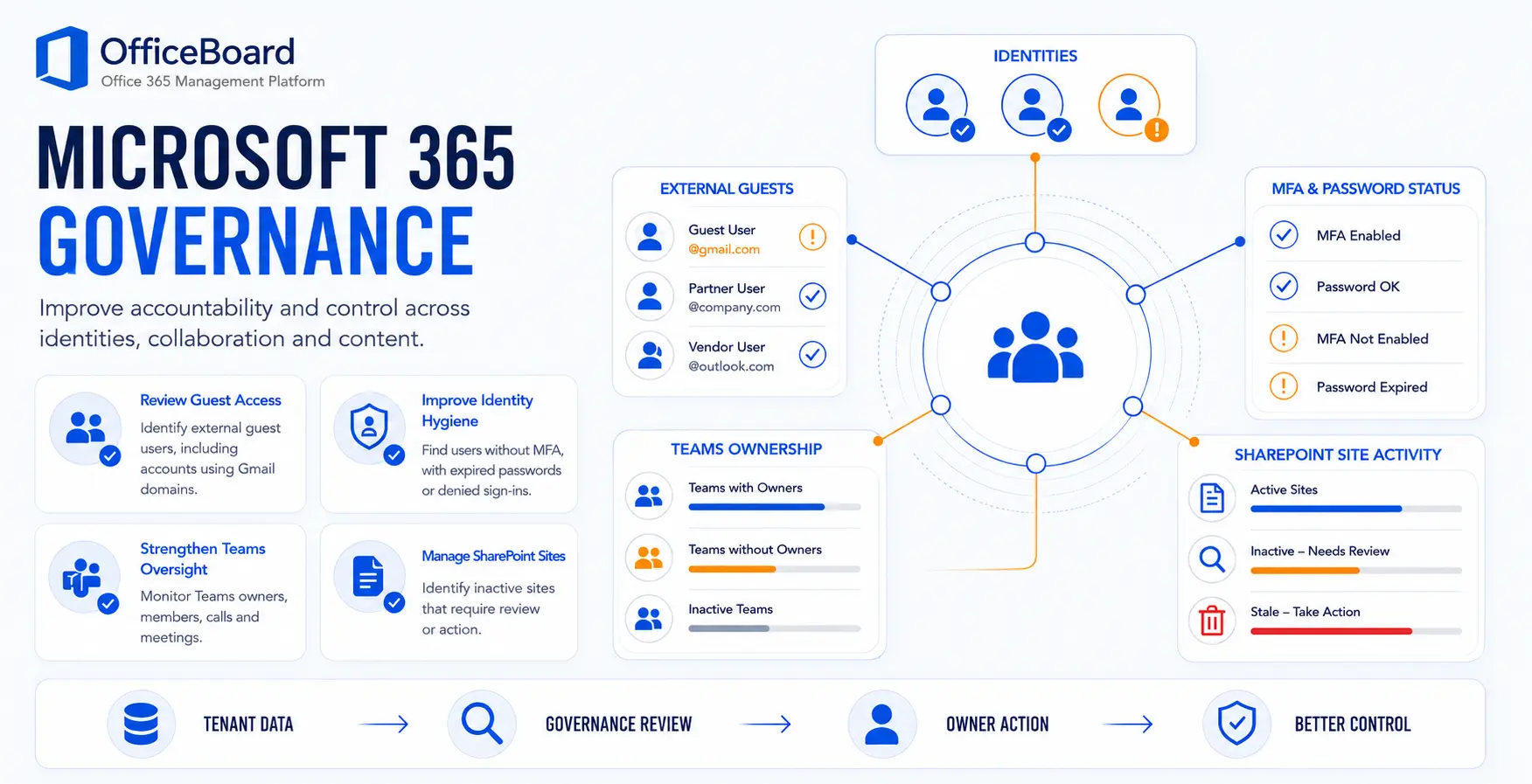
Get a more complete view of user identities across your tenant, including users without MFA, expired passwords, guest users, disabled users, sign-in denied users and inactive accounts.
- Identify high-risk and stale accounts
- Track MFA and password hygiene
- Monitor sign-in and account status
- Take timely action to reduce risk
Governance pulse
Live loopA lightweight loop showing how OfficeBoard can surface the metrics that deserve attention.
Users without MFA
256
Guest users
713
Teams without owners
71
Devices requiring review
132
| User | Type | MFA | Last sign-in | Status | Risk |
|---|---|---|---|---|---|
| Alex Johnson | Member | No | 7 days ago | Active | High |
| Priya Sharma | Member | Yes | 2 hours ago | Active | Low |
| Sam Lee | Guest | No | 23 days ago | Active | Medium |
| Michael Brown | Member | No | - | Disabled | High |
| Taylor Wilson | Guest | Yes | 45 days ago | Active | Medium |
Governance workflow that drives action
A simple governance workflow that drives action.
The goal is not more reporting. It is a repeatable process for reviewing identities, validating ownership, investigating risk and tracking the status of governance issues.
Review users
Surface high-risk and stale identities with current governance data.
Validate ownership
Confirm account owners, access needs and role assignments.
Investigate risk
Drill into activity, sign-ins and access patterns to assess risk.
Take action
Disable, remove access or enforce policies through your existing processes.
Track status
Monitor progress through status tracking and audit-ready reporting.
Governance workflow
Reduce collaboration sprawl and ownership gaps.
OfficeBoard helps administrators review inactive Teams, Teams without owners, inactive SharePoint sites, site ownership and guest-access patterns without piecing the picture together from multiple portals.
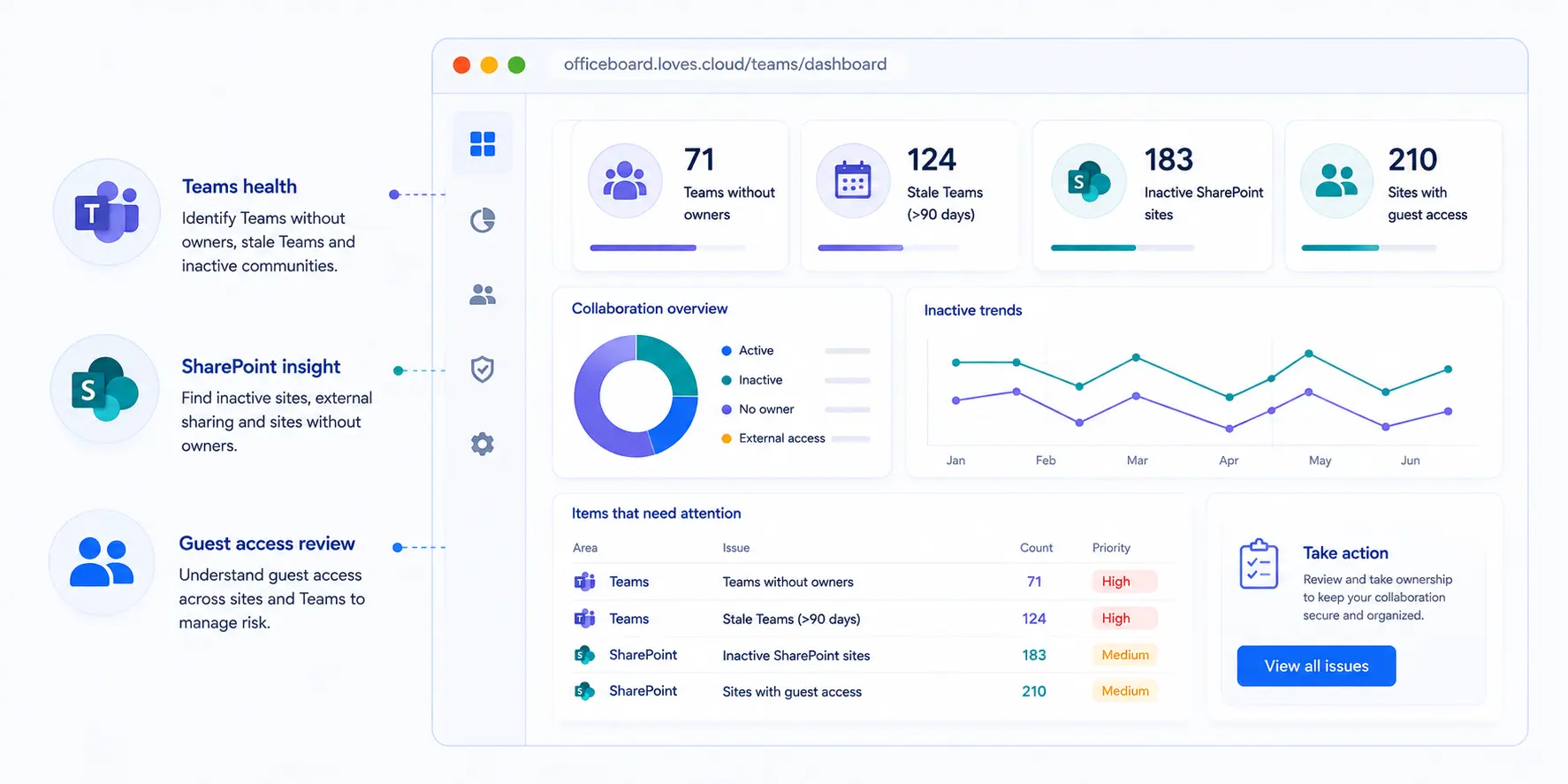
Teams without owners
Inactive SharePoint sites
Sites with guest access
Stale Teams (>90 days)
Extend governance across managed devices.
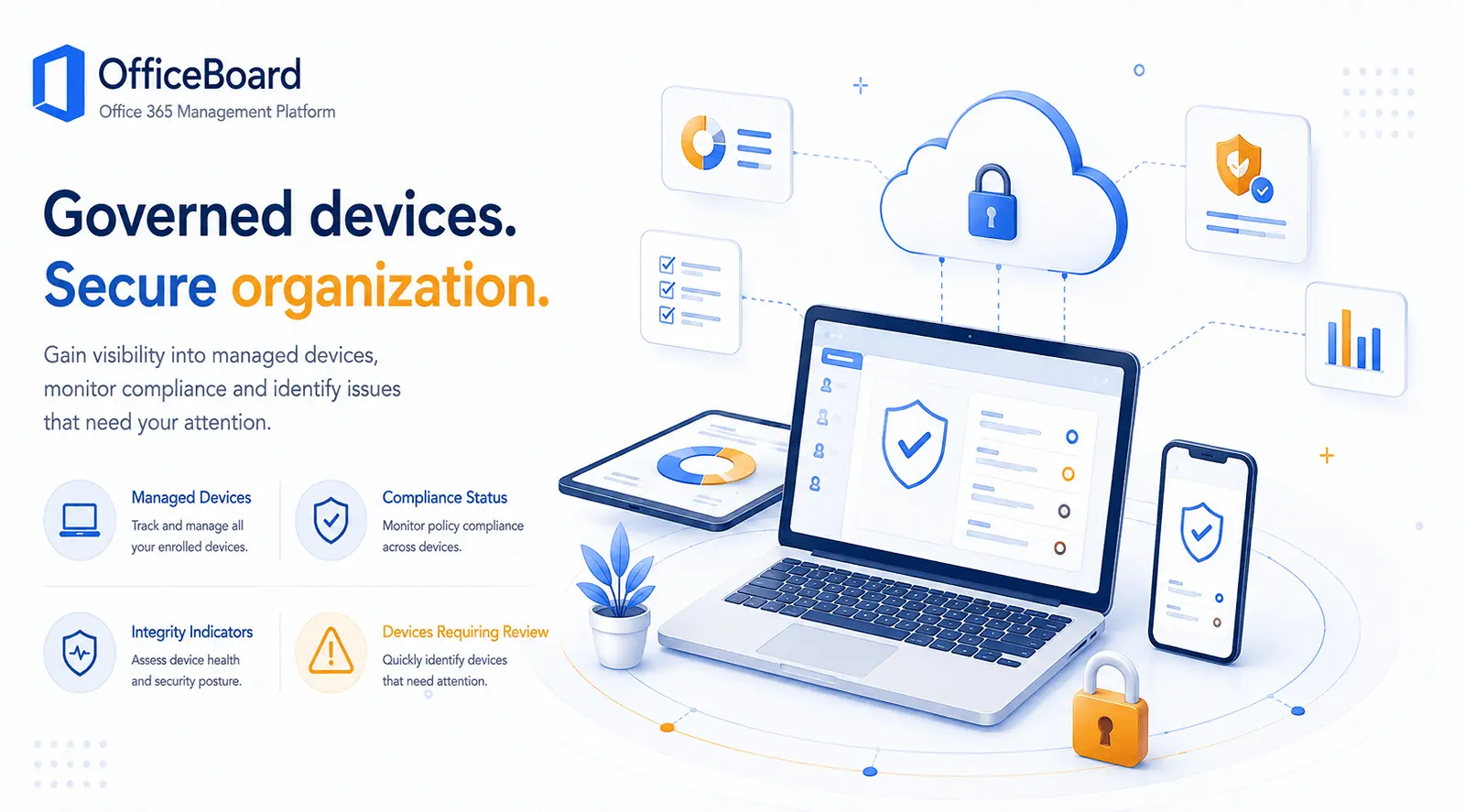
Review managed-device coverage, compliance status and integrity issues alongside your broader Microsoft 365 governance programme. This gives IT teams a clearer view of devices that may require configuration, ownership or compliance follow-up.
See who is signing in, from where and what needs attention.
Sign-in visibility adds operational context to identity governance. OfficeBoard helps IT teams review sign-in volume, failed and denied access attempts, unusual locations and the users or applications generating activity that requires investigation.
Total sign-ins
Last 7 days
Failed sign-ins
2.1% of attempts
Denied sign-ins
Require review
Risky sign-ins
Identity-risk signals
Countries observed
Across active users
Sign-in activity
Successful and failed sign-ins
Location context
Top sign-in locations

India
11,204 sign-ins

United States
3,418 sign-ins

United Kingdom
1,246 sign-ins

Singapore
734 sign-ins
Unusual-location review
6 sign-ins originated from locations not previously seen for the affected users.
User-level detail
Recent sign-in events requiring review
| User | Status | Location | Application | Device | Risk | Time |
|---|---|---|---|---|---|---|
| alex.johnson@contoso.com | Denied | New Delhi, IN | Microsoft 365 Portal | Windows 11 | High | 10:42 AM |
| priya.sharma@contoso.com | Failed | London, GB | Exchange Online | macOS | Medium | 9:18 AM |
| michael.brown@contoso.com | Successful | Singapore, SG | Azure Portal | Windows 11 | Low | 8:51 AM |
| guest.user@partner.com | Successful | Seattle, US | Microsoft Teams | iOS | Medium | Yesterday |
Investigate denied access
Review users repeatedly blocked by policy, disabled accounts and sign-ins that may indicate stale access or configuration issues.
Understand location and device context
Use location, application and device information to decide whether an event is expected or deserves closer investigation.
Connect activity to governance actions
Use sign-in evidence when reviewing guest access, inactive users, MFA gaps and account lifecycle decisions.
Illustrative values are used in this page design. The exact fields and history available depend on the Microsoft 365 data, permissions and retention available in the connected tenant.
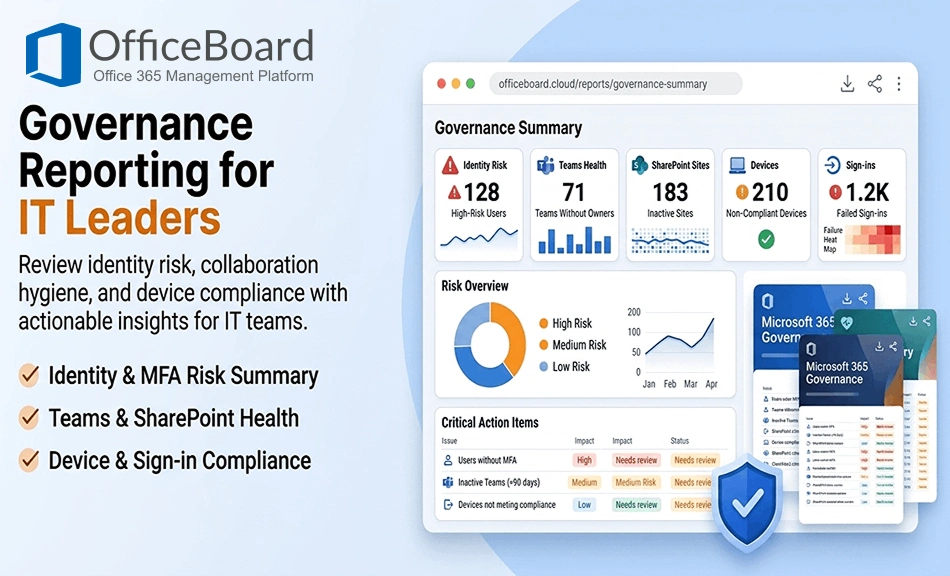
Governance reporting for IT leaders and administrators.
Download and share governance reports that help IT teams, CIOs and administrators review identity risk, collaboration hygiene and device sign-in visibility in a format that's easier to act on.
- Identity governance summary
- MFA adoption and risk-gap report
- Teams governance health report
- SharePoint governance review
- Device governance and compliance report
- Sign-in details, failures and denied-access report
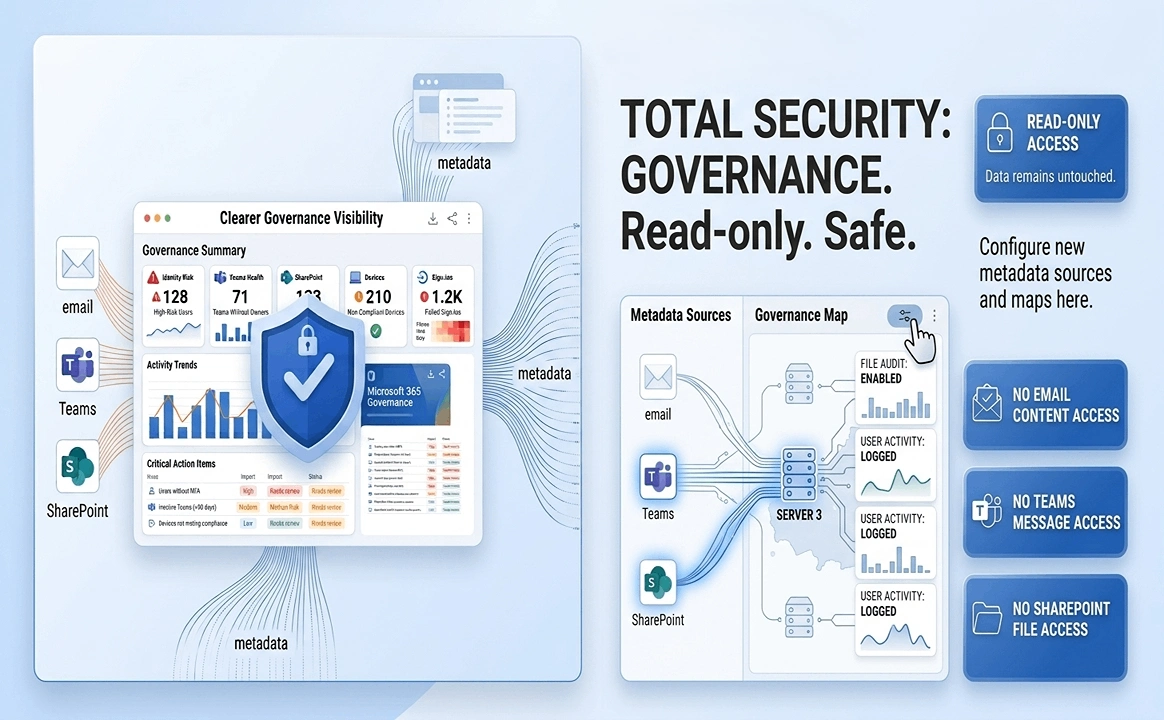
Read-only access. No content access. Clearer governance visibility.
OfficeBoard uses Microsoft Graph and related management APIs with read-only permissions. It does not access or store email content, Teams messages or SharePoint file content.
Get a clearer view of Microsoft 365 governance.
Reduce risk, stay compliant and save your IT team time with a clearer view of identities, guest users, Teams, SharePoint, managed devices and sign-in activity across your Microsoft 365 environment.
Microsoft 365 Governance by OfficeBoard
What IT teams usually ask before connecting OfficeBoard.
Clear answers about governance visibility, access, data and how recommendations are handled.
Still have questions? Contact usDoes OfficeBoard make governance changes automatically?
No. OfficeBoard provides visibility, analysis and reporting. Administrative changes remain under the customer's control and are carried out through existing processes.
Can OfficeBoard identify users without MFA and guest-user risks?
Yes. The platform is designed to help identify users without MFA, guest users, disabled accounts, denied sign-ins and related governance issues.
Does OfficeBoard access email content or SharePoint files?
No. OfficeBoard does not access email content, Teams messages or SharePoint file content.
Can OfficeBoard help with Teams and SharePoint governance?
Yes. It can help highlight Teams without owners, stale Teams, inactive SharePoint sites and related governance patterns that deserve review.
What sign-in details can OfficeBoard show?
Subject to the connected tenant's permissions and available Microsoft data, OfficeBoard can present sign-in status, time, user, application, device, location and related risk context for governance review.
How often is the governance information refreshed?
OfficeBoard refreshes Microsoft 365 management data daily.