
$
Potential
annual savings
$7,968
12 opportunities
identified
Take control of Microsoft 365 cost, security and governance.
OfficeBoard gives IT leaders a clear view of licenses, users, security alerts, devices and collaboration services, helping organisations reduce unnecessary costs and act on risks from one platform.
- Read-only access
- Daily data refresh
- Microsoft Entra ID SSO
- Enterprise deployment options

Microsoft
365 overview
Updated
today
Good morning, Albert
S
Secure
Score
72%
M
MFA
coverage
91%
!
High-priority
alerts
6
3 require action
today
License
optimisation
View
report
Assigned licenses
Microsoft 365 E3
842 / 920
Microsoft 365 F3
394 / 480
Power BI Pro
174 / 240
Priority
queue
Recommended actions
-
Suspicious forwarding rule Exchange OnlineCritical
-
17 users without MFA Identity governanceHigh
-
28 licenses on inactive users License managementReview
Illustrative OfficeBoard dashboard
- Read-only by design Analyse without changing tenant data.
- No business-content access No email, Teams message or file content.
- Azure authentication Use familiar Microsoft identity controls.
- Daily intelligence Keep operational visibility current.
Business outcomes
Turn Microsoft 365 data into better decisions.
OfficeBoard brings operational information together and helps IT, security and finance teams focus on the actions that matter.
01
Reduce Microsoft 365 costs
Find licenses assigned to inactive, disabled or low-usage accounts and identify opportunities to remove or right-size subscriptions.
Explore license management
02
Improve security posture
Review Secure Score, investigate important alerts, identify risky users and understand what your team should do next.
Explore Microsoft 365 security
03
Strengthen governance
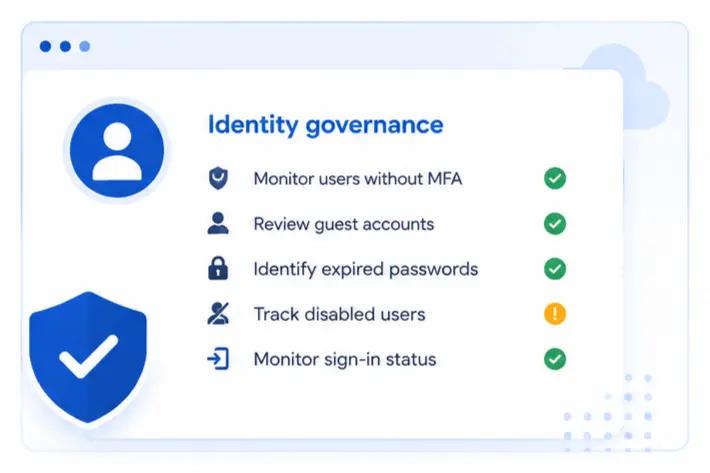
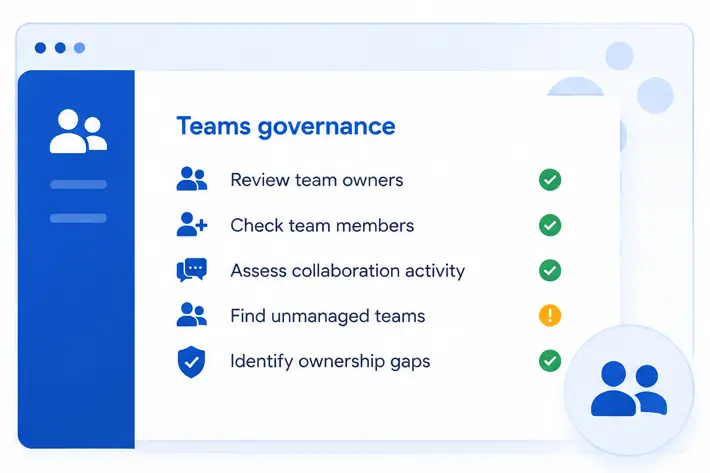
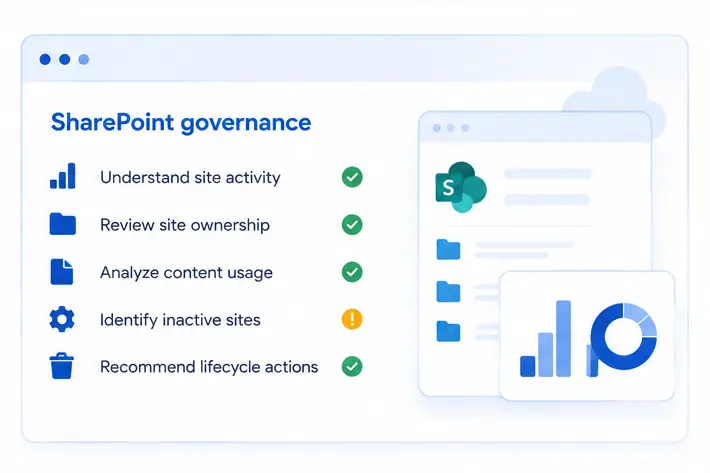
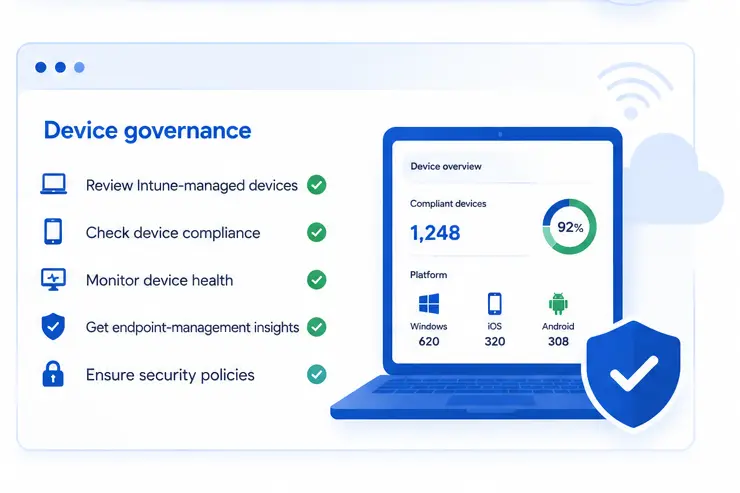
Monitor MFA adoption, guest users, inactive accounts, Teams ownership, SharePoint activity and device-management indicators.
Explore governanceMicrosoft 365 gives you the data. OfficeBoard tells you what needs attention.
Platform overview
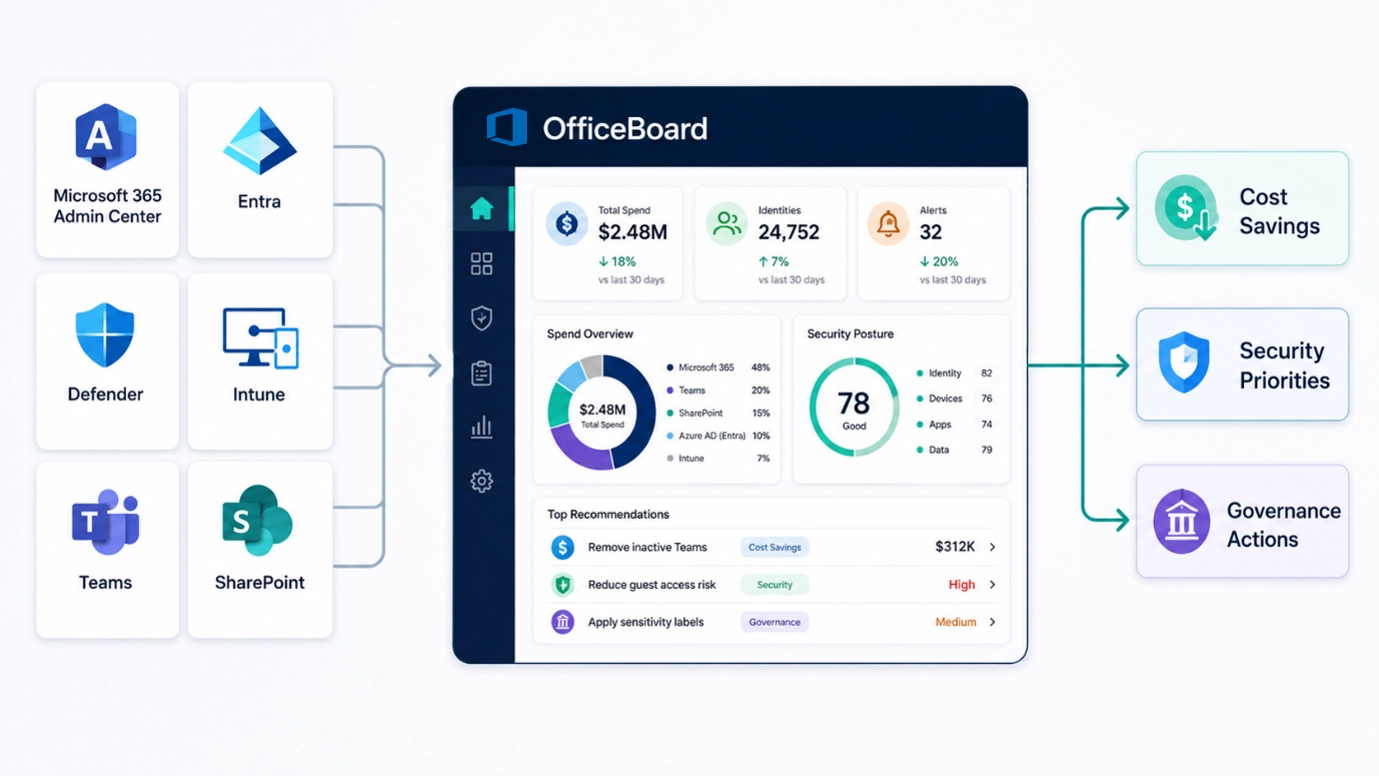
One platform for managing Microsoft 365 more effectively.
Replace disconnected portals and spreadsheets with a consolidated view of cost, security, identity, collaboration and device management.
- Microsoft 365 License Management Understand what you purchased, how licenses are assigned and where unnecessary spend may be hiding.
- Security Alerts Prioritise important events and recommended remediation.
- Entra ID Review identities, MFA, guest users and account lifecycle.
- Microsoft Teams Improve ownership visibility and collaboration governance.
- SharePoint Understand site ownership, activity and lifecycle risks.
- Intune Review managed devices, device status and endpoint visibility.
- Reports Download reports and share relevant insights with stakeholders.
Watch the OfficeBoard product tour
License management
Make every Microsoft 365 license accountable.
License costs grow as employees join, leave and change roles. OfficeBoard helps your team review those changes continuously.
- See licenses purchased, assigned and available
- Identify inactive users with paid licenses
- Find disabled accounts with active subscriptions
- Review users who have never signed in
- Identify potential downgrade opportunities
- Estimate monthly and annual savings
Potential annual savings
$7,968
↑ 18%
this quarter
28 inactive
users
$3,480 annual opportunity
19 downgrade
candidates
$2,736 annual opportunity
14 disabled
accounts
$1,752 annual opportunity
Illustrative values. Actual results depend on tenant size and usage.
Microsoft 365 security
Prioritise the issues that require attention.
Security teams do not need more alerts. They need clarity on what matters, who is affected and what action should be taken.
01
Review Microsoft Secure
Score
Understand posture and improvement
opportunities.
02
Investigate high-severity
alerts
See affected users and recommended
actions.
03
Identify identity and mailbox
risks
Surface suspicious sign-ins and
forwarding rules.
Security
priority queue
Secure
Score 72%
6 high-priority alerts
-
Known brute-force login pattern Identity Protection • 9 minutes agoCritical
-
Suspicious email-forwarding rule Exchange Online • 36 minutes agoCritical
-
Privileged authentication method changed Entra ID • 2 hours agoHigh
-
17 users do not have MFA enabled Identity Governance • TodayReview
Microsoft 365 governance
Build stronger governance without adding more spreadsheets.
Bring identity, collaboration, site and device signals together so your team can establish ownership and identify governance gaps earlier.
How OfficeBoard works
Connect once. Review updated insights every day.
OfficeBoard is designed to provide continuous visibility without disrupting your existing Microsoft 365 operations.
-
 01
01Connect your tenant
Connect through a securely configured Microsoft application with authorised permissions.
-
 02
02Collect management data
Retrieve the operational metadata required to analyse users, licenses, alerts and devices.
-
 03
03Analyse priorities
Identify license inefficiencies, security risks, governance gaps and administrative actions.
-
 04
04Review and share
Use dashboards, downloadable reports and Microsoft Teams sharing to move work forward.
Enterprise security and privacy
Designed for controlled Microsoft 365 environments.
OfficeBoard is built around responsible access, clear permissions and practical enterprise security requirements.
01
Read-only access
Analyse without changing tenant
configuration.
02
No business-content
access
No email, Teams message or SharePoint
file content.
03
Entra ID SSO and RBAC
Use familiar identity and access
controls.
04
Tenant isolation
Maintain clear security boundaries
for each customer.
OfficeBoard Private Deployment
Keep OfficeBoard inside your Azure environment.
For organisations with strict data-residency, compliance or network-security requirements, OfficeBoard can be deployed within the customer’s own Azure tenant.



OfficeBoard
Priority recommendation
Report
PDF or spreadsheet
Microsoft Teams
Assigned channel
AA
License review
required
28 inactive users still have assigned licenses. Please review the attached report.
Microsoft 365 Operations • Just now
Microsoft Teams integration
Move insights from the dashboard into action.
Share reports, spreadsheets, PDF documents and custom messages directly with configured Microsoft Teams channels.
- Send findings to the team responsible for action
- Control which channels are available
- Add context before sharing a report
- Review message and sharing history
Who OfficeBoard is for
Built for teams responsible for Microsoft 365 performance.
CIOs and IT leaders
Executive visibility into spending, security posture, governance gaps and priorities.
Microsoft 365 administrators
Manage licenses, identities, collaboration services and reporting more efficiently.
Security teams
Review important alerts, identity risks and remediation priorities.
Finance and procurement
Understand license allocation and make better-informed renewal decisions.
Large enterprises
Manage complex environments with clearer reporting, access controls and deployment options.
Microsoft partners and MSPs
Deliver optimisation, security, governance and recurring managed services.
Recommendation reports
See what OfficeBoard finds.
Convert Microsoft 365 information into clear recommendations that technical teams and business leaders can act on.
- Estimated license savings
- Security and Secure Score priorities
- MFA and guest-user risks
- Recommended actions and owners
Executive Recommendation Report
Prepared for Contoso Ltd.
Assessment date 3 August 2026
$7,968
Potential annual savings
6
High-priority alerts
17
Users without MFA
For Microsoft partners and MSPs
Build recurring Microsoft 365 services with OfficeBoard.
Deliver continuous license optimisation, security reviews, governance audits and executive reporting using one operational platform.
Microsoft
365 management
License
optimisation
Security
posture reviews
Governance
audits
Monthly
executive reporting
Private
Azure deployment
Start 14-Day Free Trial →
Partner revenue
model
Recurring services
01
Platform
subscription
Monthly or annual OfficeBoard
access
ARR
02
Tenant
assessment
Fixed-fee Microsoft 365 review
Setup
03
Managed
optimisation
Ongoing license and governance
services
MRR
04
Private
deployment
Azure setup and annual support
Premium
Frequently asked questions
Clear answers for enterprise teams.
OfficeBoard is designed to make Microsoft 365 management easier to understand, deploy and operate.
What Microsoft 365 visibility does OfficeBoard provide?
OfficeBoard gives IT and business leaders a consolidated view of Microsoft 365 licenses, users, identities, security alerts, Teams, SharePoint, devices, sign-ins, and governance. It helps leadership understand costs, risks, and priorities without relying on separate reports from multiple teams.
Does OfficeBoard read our emails, Teams messages, or SharePoint files?
No. OfficeBoard does not read email content, Teams conversations, or SharePoint documents. It analyses authorized Microsoft 365 administrative and operational metadata required to produce dashboards, findings, and recommendations.
How does OfficeBoard help reduce Microsoft 365 licensing costs?
OfficeBoard identifies licenses assigned to inactive, disabled, or unused accounts. It also highlights potential rightsizing opportunities where a user's actual Microsoft 365 usage may not justify their current license.
Can OfficeBoard be deployed within our Azure tenant?
OfficeBoard's private-deployment model is being developed for organizations that require the application and its data to remain within their Azure environment. Private deployment is not generally available today. Organizations with this requirement can contact us to discuss suitability, scope, and expected availability.
Does OfficeBoard support multiple Microsoft 365 tenants?
Yes. Multi-tenant management can be provided for Microsoft partners, MSPs, and organizations responsible for multiple Microsoft 365 environments.
What permissions does OfficeBoard require?
OfficeBoard uses read-only access to retrieve the Microsoft 365 management information required for analysis and reporting. The requested permissions can be reviewed and approved by the customer's Microsoft 365 security or administration team during onboarding.
Does OfficeBoard make changes to our Microsoft 365 environment?
No. OfficeBoard provides visibility, findings, and recommended actions without making changes to the customer's environment. The customer retains control over license changes, security remediation, and governance decisions.
How often is OfficeBoard data updated?
OfficeBoard refreshes Microsoft 365 data daily, giving teams an updated view of license usage, security alerts, users, governance conditions, and other operational information.
How does OfficeBoard complement Microsoft's native administration tools?
Microsoft's native portals provide detailed information across individual services. OfficeBoard brings relevant information together and translates it into management-ready views, cost-saving opportunities, security priorities, governance gaps, and recommended actions.
Can OfficeBoard reports and findings be shared with stakeholders?
Yes. OfficeBoard data can be downloaded in Microsoft Excel format. Teams can also share dashboards, spreadsheets, and customized messages directly with authorized Microsoft Teams channels.
Microsoft 365 Management
Find out what OfficeBoard can improve in your environment.
Start with a review of licenses, users, security posture and governance controls. Identify potential savings, priority risks and practical next steps.
No access to email content, Teams messages or SharePoint files.